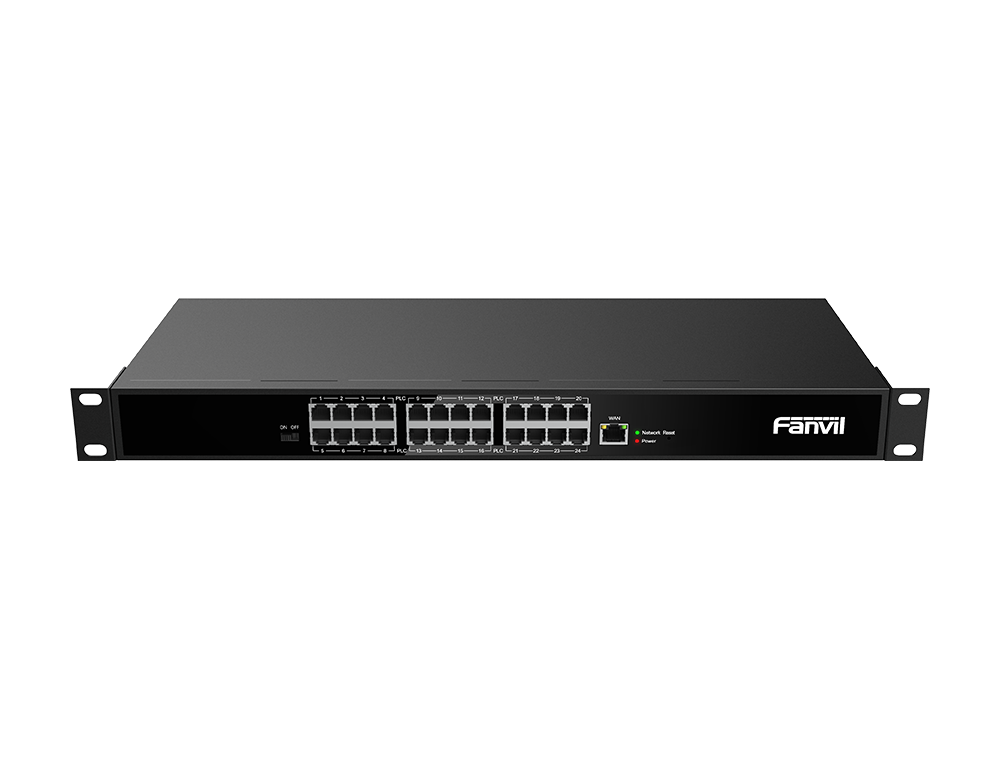
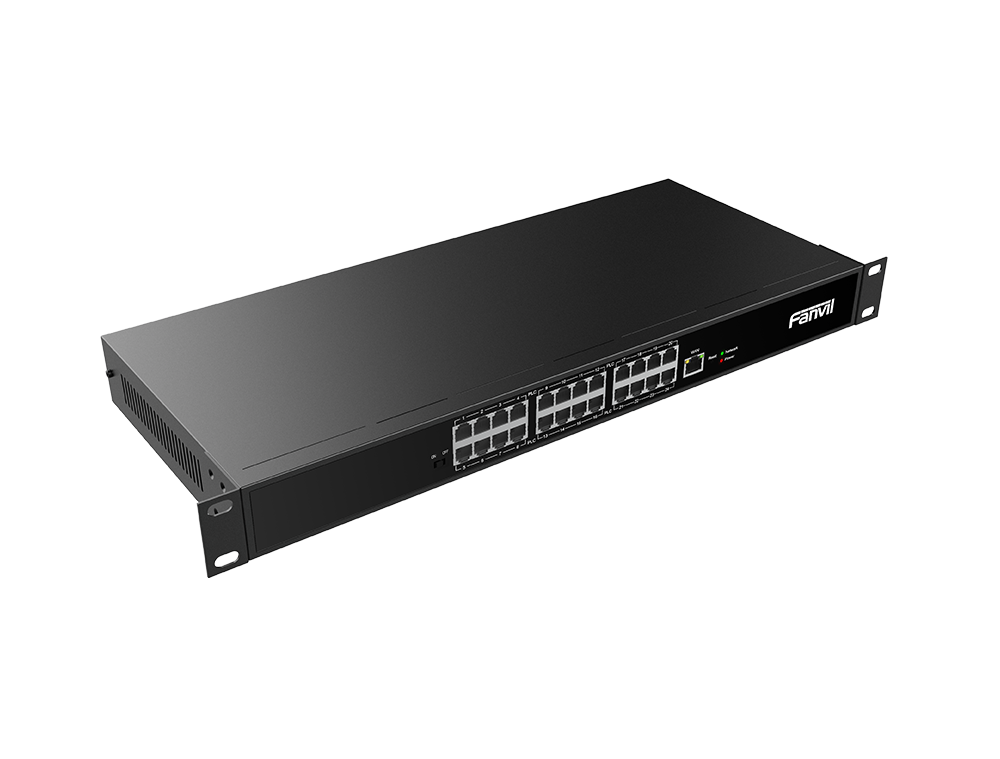
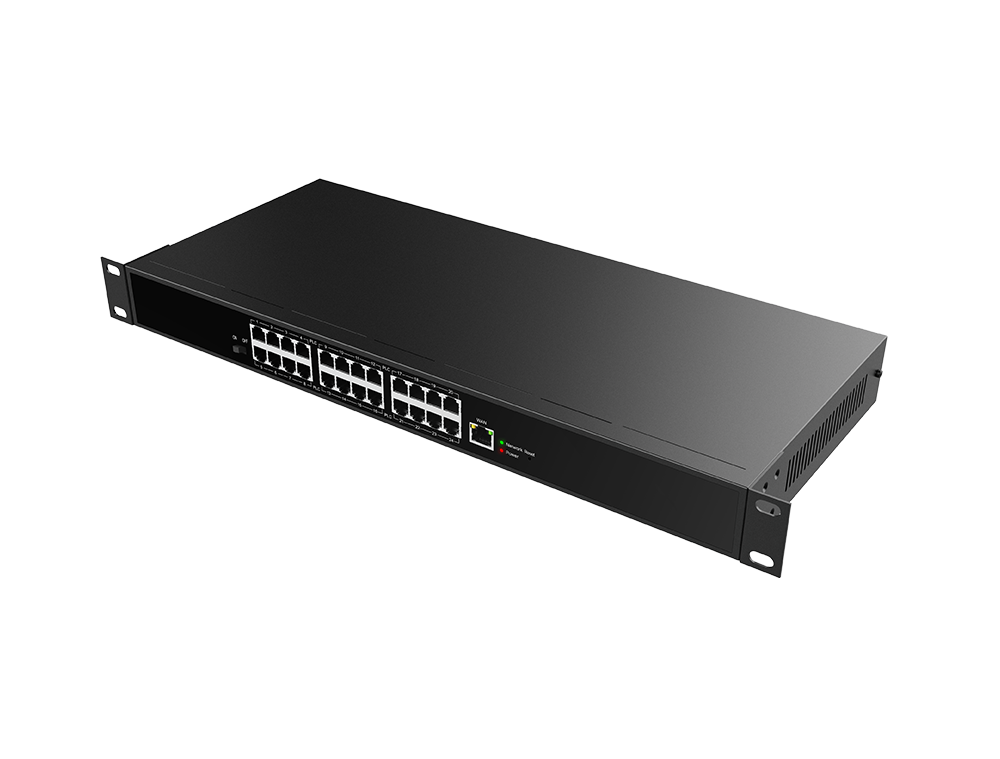

Fanvil PN24 2-Wire PoE Switch with 24 Ports and 300 m Reach

Click on the image to enlarge it

Fanvil

Click here for more Fanvil

Fanvil PN24 2-Wire PoE Switch with 24 Ports and 300 m Reach


The Fanvil PN24 provides 24 two-wire ports for the telephone pairs already inside your building, sending network and power down just two wires for up to 300 m. It is built for hotels, hospitals and larger offices moving from an analog PBX to IP phones without pulling new network cable.

====

The Fanvil PN24 is a 24-port 2-Wire PoE switch for buildings that are full of old telephone cabling but need IP phones. Each of its ports pushes network data and power down a single pair of wires to a phone or other device up to 300 m away. Hotels, hospitals and larger offices still running an analog PBX can upgrade without opening walls or pulling a single new network cable.

Fanvil PN24 key specs

In most buildings, every internal phone line ends at one distribution frame in the telecom room. That is where the PN24 goes: punch each pair into one of its ports, then patch the switch into your main network.

  • 24 RJ11 two-wire ports and one 10/100 Mbps RJ45 uplink.
  • Up to 300 m on Cat 5e, RVV 2×0.5 or HYV 2×0.5 cable.
  • 54V 3A power input, SECC steel chassis, 440 × 189.85 × 44 mm.
  • Rated for -20 to 50°C.

Why reuse phone wiring?

Running new Cat 6 to every room in a hotel or hospital means ceiling work, closed rooms and a bill that can exceed the hardware itself. Fanvil's 2-Wire approach keeps the cable that is already in the walls, so most of the job happens in one room while the building stays open.

Under the hood the system uses PLC (Power Line Communication) over the pair. On projects above 60 phones, or where 100-pair trunk cable is involved, Fanvil says to split the network into groups with its PLC Tool; skipping that step can knock part of the phone network offline.

What plugs into the PN24

  • The X303-2Wire desk phone: 2.4-inch color screen, 4 SIP accounts, and it draws both power and data from the line.
  • The PN1 converter: turns a 2-Wire line back into a standard Ethernet port for an IP camera, a door intercom or any RJ45 device.

A selector on the switch sets each mode: power and network (default) or network only.

Where it fits in Saudi Arabia

  • Hotels in Makkah, Madinah and Riyadh: move a whole floor of rooms to IP on the existing phone pairs.
  • Hospitals and clinics: refresh ward phones without shutting down a wing.
  • Older office towers: retire the analog PBX and keep the cabling.

Works with your IP PBX

The PN24 is network gear, not a phone system. Phones behind it register their SIP accounts to whatever IP PBX you run, on-site or cloud, and show up as normal extensions. After installation, export every device's MAC address and group password; you will need them to swap a phone later. Keep 2-Wire runs at least 0.5 m away from mains cabling for a clean signal.

PN24 or PN8?

Port count is the main difference: 24 RJ11 ports on the PN24 versus 8 on the PN8. The PN24 also takes a 54V 3A supply instead of 1.5A and installs on a desk or in a rack only, while the compact PN8 (195 × 130 × 40 mm) can also go on a wall. Pick the PN24 for a hotel floor or hospital wing, and the PN8 for a clinic or small office.

Frequently Asked Questions

Does the X303-2Wire need a power adapter on the PN24?

No. The phone gets both data and power over the 2-Wire line. It also has a separate 12V input if you ever run it without the switch.

Can I connect an IP camera to the Fanvil PN24?

Yes, through a PN1 converter: run the 2-Wire line to the PN1, then plug the camera into its RJ45 port.

How far can a phone be from the PN24?

Up to 300 m on Cat 5e, RVV 2×0.5 or HYV 2×0.5 cable, according to Fanvil's official manual.

Specifications

  • Model: PN24
  • Type: 2-Wire PoE switch (network and power over two wires)
  • Network interface (uplink): 1 × RJ45
  • Network speed: 10/100 Mbps
  • 2-Wire interfaces: 24 × RJ11
  • 2-Wire transmission: PLC (Power Line Communication), network grouping via Fanvil PLC Tool
  • Network and power distance: 300 m on Cat 5e, RVV 2×0.5 or HYV 2×0.5 (to X303-2Wire or PN1)
  • Operating modes: Power and network (default) or network without power, set by a switch
  • Power supply: 54V 3A
  • Indicators and buttons: Power LED, network LED that flashes with traffic, Reset (hold 10 s for factory reset), main power switch
  • Operating temperature: -20 to 50°C
  • Enclosure: SECC steel
  • Dimensions (L × W × H): 440 × 189.85 × 44 mm
  • Mounting: Desktop or rack mount
  • Compatible devices: Fanvil X303-2Wire phone directly; Fanvil PN1 converter for any RJ45 device

Features

  • 24 RJ11 line ports: turn legacy phone pairs into IP endpoints straight from the telecom room.
  • Network and power on two wires: an X303-2Wire phone takes both from the line, so no power adapter at each desk.
  • Up to 300 m reach: on Cat 5e, RVV 2×0.5 or HYV 2×0.5 cable, three times the normal Ethernet limit.
  • Network grouping with Fanvil PLC Tool: required on jobs above 60 phones to keep each group stable.
  • Rack or desktop install: 440 mm wide steel chassis.
Read more
SKU : FANVIL-PN24

2,235.60

VAT included


The Fanvil PN24 provides 24 two-wire ports for the telephone pairs already inside your building, sending network and power down just two wires for up to 300 m. It is built for hotels, hospitals and larger offices moving from an analog PBX to IP phones without pulling new network cable.

====

The Fanvil PN24 is a 24-port 2-Wire PoE switch for buildings that are full of old telephone cabling but need IP phones. Each of its ports pushes network data and power down a single pair of wires to a phone or other device up to 300 m away. Hotels, hospitals and larger offices still running an analog PBX can upgrade without opening walls or pulling a single new network cable.

Fanvil PN24 key specs

In most buildings, every internal phone line ends at one distribution frame in the telecom room. That is where the PN24 goes: punch each pair into one of its ports, then patch the switch into your main network.

  • 24 RJ11 two-wire ports and one 10/100 Mbps RJ45 uplink.
  • Up to 300 m on Cat 5e, RVV 2×0.5 or HYV 2×0.5 cable.
  • 54V 3A power input, SECC steel chassis, 440 × 189.85 × 44 mm.
  • Rated for -20 to 50°C.

Why reuse phone wiring?

Running new Cat 6 to every room in a hotel or hospital means ceiling work, closed rooms and a bill that can exceed the hardware itself. Fanvil's 2-Wire approach keeps the cable that is already in the walls, so most of the job happens in one room while the building stays open.

Under the hood the system uses PLC (Power Line Communication) over the pair. On projects above 60 phones, or where 100-pair trunk cable is involved, Fanvil says to split the network into groups with its PLC Tool; skipping that step can knock part of the phone network offline.

What plugs into the PN24

  • The X303-2Wire desk phone: 2.4-inch color screen, 4 SIP accounts, and it draws both power and data from the line.
  • The PN1 converter: turns a 2-Wire line back into a standard Ethernet port for an IP camera, a door intercom or any RJ45 device.

A selector on the switch sets each mode: power and network (default) or network only.

Where it fits in Saudi Arabia

  • Hotels in Makkah, Madinah and Riyadh: move a whole floor of rooms to IP on the existing phone pairs.
  • Hospitals and clinics: refresh ward phones without shutting down a wing.
  • Older office towers: retire the analog PBX and keep the cabling.

Works with your IP PBX

The PN24 is network gear, not a phone system. Phones behind it register their SIP accounts to whatever IP PBX you run, on-site or cloud, and show up as normal extensions. After installation, export every device's MAC address and group password; you will need them to swap a phone later. Keep 2-Wire runs at least 0.5 m away from mains cabling for a clean signal.

PN24 or PN8?

Port count is the main difference: 24 RJ11 ports on the PN24 versus 8 on the PN8. The PN24 also takes a 54V 3A supply instead of 1.5A and installs on a desk or in a rack only, while the compact PN8 (195 × 130 × 40 mm) can also go on a wall. Pick the PN24 for a hotel floor or hospital wing, and the PN8 for a clinic or small office.

Frequently Asked Questions

Does the X303-2Wire need a power adapter on the PN24?

No. The phone gets both data and power over the 2-Wire line. It also has a separate 12V input if you ever run it without the switch.

Can I connect an IP camera to the Fanvil PN24?

Yes, through a PN1 converter: run the 2-Wire line to the PN1, then plug the camera into its RJ45 port.

How far can a phone be from the PN24?

Up to 300 m on Cat 5e, RVV 2×0.5 or HYV 2×0.5 cable, according to Fanvil's official manual.

Specifications

  • Model: PN24
  • Type: 2-Wire PoE switch (network and power over two wires)
  • Network interface (uplink): 1 × RJ45
  • Network speed: 10/100 Mbps
  • 2-Wire interfaces: 24 × RJ11
  • 2-Wire transmission: PLC (Power Line Communication), network grouping via Fanvil PLC Tool
  • Network and power distance: 300 m on Cat 5e, RVV 2×0.5 or HYV 2×0.5 (to X303-2Wire or PN1)
  • Operating modes: Power and network (default) or network without power, set by a switch
  • Power supply: 54V 3A
  • Indicators and buttons: Power LED, network LED that flashes with traffic, Reset (hold 10 s for factory reset), main power switch
  • Operating temperature: -20 to 50°C
  • Enclosure: SECC steel
  • Dimensions (L × W × H): 440 × 189.85 × 44 mm
  • Mounting: Desktop or rack mount
  • Compatible devices: Fanvil X303-2Wire phone directly; Fanvil PN1 converter for any RJ45 device

Features

  • 24 RJ11 line ports: turn legacy phone pairs into IP endpoints straight from the telecom room.
  • Network and power on two wires: an X303-2Wire phone takes both from the line, so no power adapter at each desk.
  • Up to 300 m reach: on Cat 5e, RVV 2×0.5 or HYV 2×0.5 cable, three times the normal Ethernet limit.
  • Network grouping with Fanvil PLC Tool: required on jobs above 60 phones to keep each group stable.
  • Rack or desktop install: 440 mm wide steel chassis.

See more View less