
Yeastar P520 IP PBX for 20 Users and 10 Concurrent Calls

Click on the image to enlarge it

Yeastar

Click here for more Yeastar

Yeastar P520 IP PBX for 20 Users and 10 Concurrent Calls


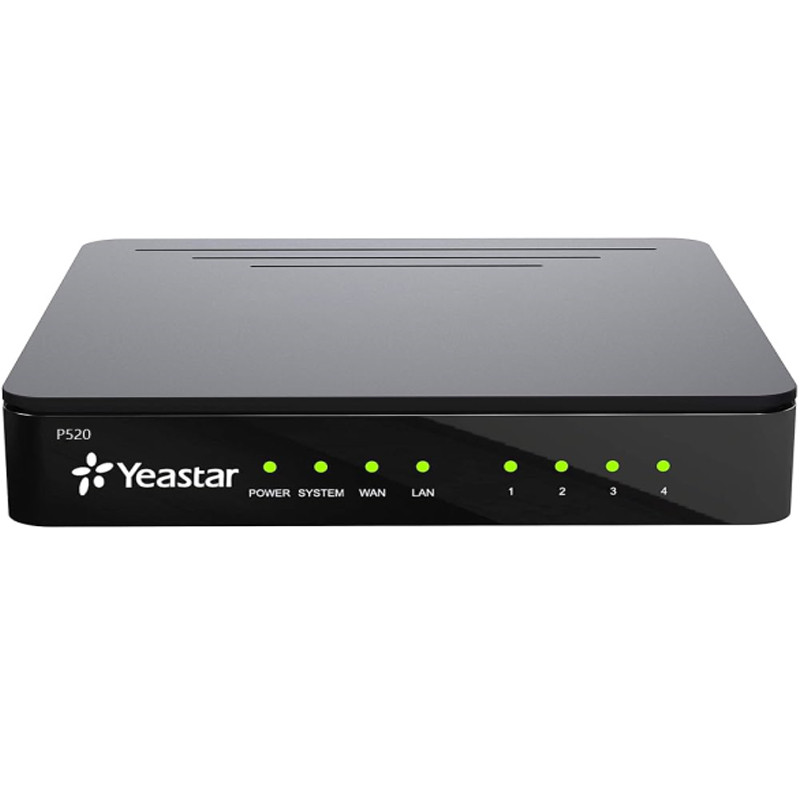
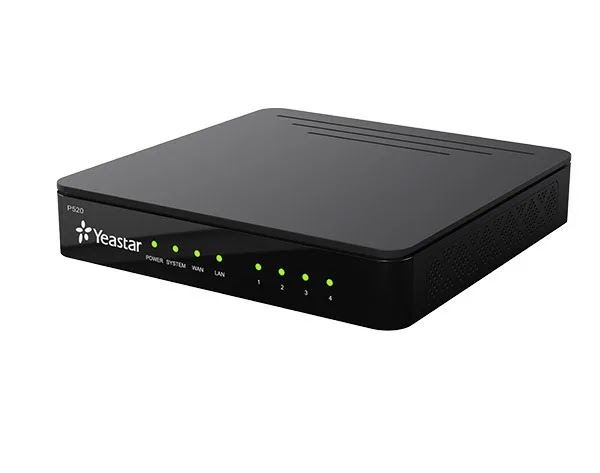
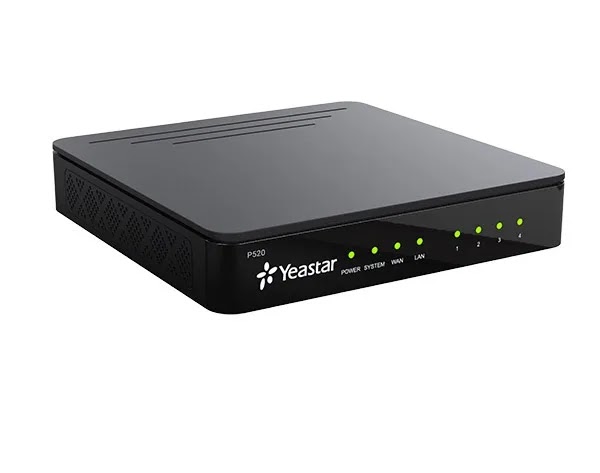
The Yeastar P520 is the entry model of the Yeastar P-Series appliances, built for 20 users and 10 concurrent calls. Two module bays add analog, BRI or one cellular line, which makes it a fit for clinics, small offices and showrooms.

====

The Yeastar P520 is the smallest appliance in the Yeastar P-Series line, sized for up to 20 users and 10 concurrent calls. It gives a small team the tools of a full business phone system (extensions, an auto attendant, a mobile app) in a compact desktop box that needs no rack. Think dental clinics, real estate offices, showrooms and small branches with 5 to 20 staff.

Yeastar P520 specs at a glance

All figures below come from Yeastar's website and installation guide:

  • 20 users (extensions) and 10 simultaneous calls.
  • Two internal module bays feeding 4 RJ11 ports on the rear panel.
  • Up to 4 FXS or 4 FXO/BRI ports, plus one 3G/4G port.
  • One WAN port, one LAN port and a TF card slot for storage.
  • Powered by the supplied DC 12V adapter.

Build your trunk mix with modules

The P520 ships without fixed telephony ports. Remove the top cover and add two modules: S2 (2 FXS) for analog handsets or a fax, O2 (2 FXO) for landlines, SO (1 FXS + 1 FXO), B2 for BRI lines, or a GSM, 3G or 4G LTE module.

A typical setup for a Riyadh office: an O2 module for two landlines plus a 4G LTE module holding an STC, Mobily or Zain SIM, so outbound calls can go over the mobile network. Yeastar's guide says the cellular module must sit in Slot_1, with the antenna screwed into the rear socket.

SIP trunks need no module at all. Yeastar states its systems are tested with more than 210 service providers.

Linkus and auto attendant for small teams

Every user can run Linkus on iOS or Android, on Windows or macOS, or in a browser. When a sales rep is out at a client meeting, calls to their desk extension ring on their phone and go out under the company number.

The IVR routes callers to the right person ("press 1 for bookings, 2 for accounts"), and voicemail and call recording are built in. Some features depend on the license plan.

Where the P520 fits in Saudi Arabia

  • Dental and medical clinics: a reception line, an extension per doctor, an after-hours greeting.
  • Real estate, law and accounting offices.
  • Showrooms and shops that want a landline and a mobile SIM on one system.
  • Startups working from a small office with a team that will stay under 20.

Compatibility and limits

Yeastar auto-provisions more than 500 IP phone models and integrates with Microsoft Teams.

Two limits to know before you buy: Yeastar states the P520 supports neither hotel PMS integration nor the API.

P520 or P550?

The P550 lifts capacity to 50 users and 25 calls and takes 4 modules instead of 2, reaching 8 FXS or FXO/BRI ports and 4 cellular ports, and it mounts in a 19-inch rack. Pick the P520 if your team is under 20 and 4 analog lines plus one SIM are enough. Pick the P550 if you expect to grow soon or need several SIM trunks.

Frequently Asked Questions

How many users does the Yeastar P520 support?

20 users and 10 concurrent calls. It does not take D30 modules, so for more than 20 staff look at the P550.

Can the P520 use a mobile SIM?

Yes. It accepts one GSM, 3G or 4G LTE module in Slot_1, so you can insert a SIM and route calls over it.

Is the P520 suitable for hotels?

Yeastar states the P520 does not support hotel PMS integration.

Specifications

  • Model: P520
  • Series: Yeastar P-Series Appliance Edition
  • Users: 20
  • Concurrent calls: 10
  • Max FXS ports: 4
  • Max FXO / BRI ports: 4
  • Max 3G/4G ports: 1
  • E1/T1/J1 ports: Not supported
  • Module bays: 2 (S2, O2, B2, SO, GSM, 3G, 4G LTE); cellular module goes in Slot_1
  • Expansion boards / D30: Not supported
  • RJ11 ports: 4 on the rear panel (FXS, FXO or BRI depending on module)
  • Network ports: 1× WAN, 1× LAN
  • Storage: TF card slot
  • Other interfaces: Antenna socket, reset button (hold 10 s for factory reset)
  • LED indicators: Power, System, WAN, LAN, plus 4 RJ11 port status LEDs
  • Power: DC 12V via supplied power adapter
  • Mounting: Desktop (4 rubber feet)
  • Operating environment: Below 40°C per installation guide
  • Hotel PMS integration / API: Not supported on P520 per Yeastar
  • In the box: P520 unit, Ethernet cable, power adapter, 4 rubber feet, quick installation guide

Features

  • 20 users and 10 concurrent calls: right-sized for a small office or clinic, with no spare capacity to pay for.
  • Two module bays: choose S2, O2, SO, B2 or a cellular module for up to 4 FXS or 4 FXO/BRI ports.
  • One 3G/4G port: fit a SIM from STC, Mobily or Zain and route outbound calls over the mobile network.
  • Linkus apps for mobile, desktop and web: staff answer their extension from anywhere.
  • Auto provisioning for 500+ IP phone models: plug a phone in and it picks up its extension and settings.
Read more
SKU : YEASTAR-P520

1,763.33

VAT included


The Yeastar P520 is the entry model of the Yeastar P-Series appliances, built for 20 users and 10 concurrent calls. Two module bays add analog, BRI or one cellular line, which makes it a fit for clinics, small offices and showrooms.

====

The Yeastar P520 is the smallest appliance in the Yeastar P-Series line, sized for up to 20 users and 10 concurrent calls. It gives a small team the tools of a full business phone system (extensions, an auto attendant, a mobile app) in a compact desktop box that needs no rack. Think dental clinics, real estate offices, showrooms and small branches with 5 to 20 staff.

Yeastar P520 specs at a glance

All figures below come from Yeastar's website and installation guide:

  • 20 users (extensions) and 10 simultaneous calls.
  • Two internal module bays feeding 4 RJ11 ports on the rear panel.
  • Up to 4 FXS or 4 FXO/BRI ports, plus one 3G/4G port.
  • One WAN port, one LAN port and a TF card slot for storage.
  • Powered by the supplied DC 12V adapter.

Build your trunk mix with modules

The P520 ships without fixed telephony ports. Remove the top cover and add two modules: S2 (2 FXS) for analog handsets or a fax, O2 (2 FXO) for landlines, SO (1 FXS + 1 FXO), B2 for BRI lines, or a GSM, 3G or 4G LTE module.

A typical setup for a Riyadh office: an O2 module for two landlines plus a 4G LTE module holding an STC, Mobily or Zain SIM, so outbound calls can go over the mobile network. Yeastar's guide says the cellular module must sit in Slot_1, with the antenna screwed into the rear socket.

SIP trunks need no module at all. Yeastar states its systems are tested with more than 210 service providers.

Linkus and auto attendant for small teams

Every user can run Linkus on iOS or Android, on Windows or macOS, or in a browser. When a sales rep is out at a client meeting, calls to their desk extension ring on their phone and go out under the company number.

The IVR routes callers to the right person ("press 1 for bookings, 2 for accounts"), and voicemail and call recording are built in. Some features depend on the license plan.

Where the P520 fits in Saudi Arabia

  • Dental and medical clinics: a reception line, an extension per doctor, an after-hours greeting.
  • Real estate, law and accounting offices.
  • Showrooms and shops that want a landline and a mobile SIM on one system.
  • Startups working from a small office with a team that will stay under 20.

Compatibility and limits

Yeastar auto-provisions more than 500 IP phone models and integrates with Microsoft Teams.

Two limits to know before you buy: Yeastar states the P520 supports neither hotel PMS integration nor the API.

P520 or P550?

The P550 lifts capacity to 50 users and 25 calls and takes 4 modules instead of 2, reaching 8 FXS or FXO/BRI ports and 4 cellular ports, and it mounts in a 19-inch rack. Pick the P520 if your team is under 20 and 4 analog lines plus one SIM are enough. Pick the P550 if you expect to grow soon or need several SIM trunks.

Frequently Asked Questions

How many users does the Yeastar P520 support?

20 users and 10 concurrent calls. It does not take D30 modules, so for more than 20 staff look at the P550.

Can the P520 use a mobile SIM?

Yes. It accepts one GSM, 3G or 4G LTE module in Slot_1, so you can insert a SIM and route calls over it.

Is the P520 suitable for hotels?

Yeastar states the P520 does not support hotel PMS integration.

Specifications

  • Model: P520
  • Series: Yeastar P-Series Appliance Edition
  • Users: 20
  • Concurrent calls: 10
  • Max FXS ports: 4
  • Max FXO / BRI ports: 4
  • Max 3G/4G ports: 1
  • E1/T1/J1 ports: Not supported
  • Module bays: 2 (S2, O2, B2, SO, GSM, 3G, 4G LTE); cellular module goes in Slot_1
  • Expansion boards / D30: Not supported
  • RJ11 ports: 4 on the rear panel (FXS, FXO or BRI depending on module)
  • Network ports: 1× WAN, 1× LAN
  • Storage: TF card slot
  • Other interfaces: Antenna socket, reset button (hold 10 s for factory reset)
  • LED indicators: Power, System, WAN, LAN, plus 4 RJ11 port status LEDs
  • Power: DC 12V via supplied power adapter
  • Mounting: Desktop (4 rubber feet)
  • Operating environment: Below 40°C per installation guide
  • Hotel PMS integration / API: Not supported on P520 per Yeastar
  • In the box: P520 unit, Ethernet cable, power adapter, 4 rubber feet, quick installation guide

Features

  • 20 users and 10 concurrent calls: right-sized for a small office or clinic, with no spare capacity to pay for.
  • Two module bays: choose S2, O2, SO, B2 or a cellular module for up to 4 FXS or 4 FXO/BRI ports.
  • One 3G/4G port: fit a SIM from STC, Mobily or Zain and route outbound calls over the mobile network.
  • Linkus apps for mobile, desktop and web: staff answer their extension from anywhere.
  • Auto provisioning for 500+ IP phone models: plug a phone in and it picks up its extension and settings.

See more View less